This Video Is Not Available on This Device Please Try Again Later
Whether it's for marketing, entertainment or quite oft both, video is more popular than ever. While live action certainly isn't going away, animation in videos is also on the rise, and not simply for content aimed at kids. From commercials to funny YouTube videos, in that location are more and more places where blitheness is used in videos.
You may be interested in making animated videos but intimidated by the process of making them. If that's the case, don't worry — modern technology makes blitheness easier than ever to pull off, and so whether y'all're an experienced creative person looking to explore a new medium or a complete creative newbie, there are means for you to begin making your ain animated videos.
Write Your Video Script
Earlier you commit to making the video, y'all should come up with a vision for what your video will look similar and what purpose it will serve. Start by figuring out why y'all're making the video, what the message is and who you lot're making it for. Then, start crafting the storyline.

Brainstorm with the hook — an opening image or idea that volition win over viewers' attention and keep them engaged and willing to sentinel the rest of the video. From in that location, create the master part of the video with all the action promised in your hook. Finally, if you lot're making the video for marketing or business purposes, include a call to activeness directing viewers to take the next step — whatever you experience that should be.
You lot might fifty-fifty notice it useful to make a storyboard, or a scene-by scene representation of what to happen in the video. Doing so volition assist you smoothen out the details of the video and identify any elements that aren't contributing to your vision. You can sketch information technology out yourself or use a computer program to help y'all. Some blithe video tools, similar Animaker, even include storyboard tools to brand the planning procedure quick and piece of cake.
Choose the Right Tools
Having an awesome animation programme makes all the divergence when you're making animated videos. Like any other projection, the quality of the job and ease of the task can be bolstered by having the correct tools for the job. Fortunately, many animation programs are gratis or relatively cheap as well every bit fast and easy to use.
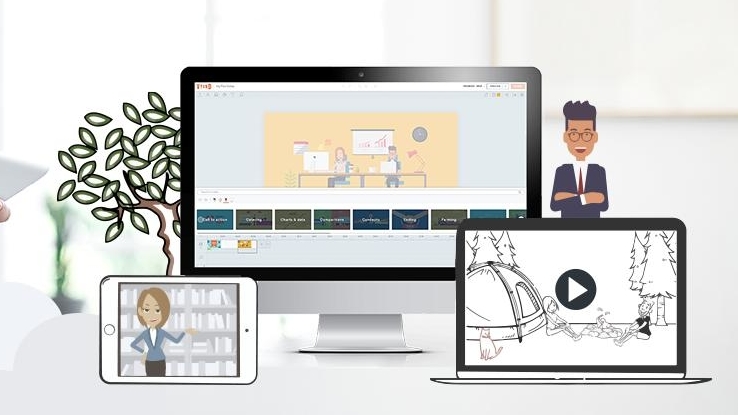
Ane program to consider is Vyond. While it's geared toward professional utilise in marketing, preparation and internal concern communications, its wide pick of premade templates and voiceover options equally well as the intuitive interface could make it appealing to many would-exist animators. Information technology does require a monthly fee and offers just limited customization, however, so information technology may not meet all needs. Alternatively, Animatron offers several animation video programs that are also well-suited for commercial purposes.
If you're looking for maximum creative freedom and accept the technical know-how to pull it off (or the willingness to learn), Adobe After Furnishings and AutoDesk's Maya are two blitheness tools that see wide usage from truthful animation professionals. Of the two, After Effects is by far the cheaper programme — without a license, Maya can cost more than $1,600 a year.
Choice Your Animated Video Mode
At that place are tons of animation styles out there, each with their own pros and cons. Information technology helps to castor up on what'due south bachelor and exist mindful of what is all-time suited to the purpose of your video. second animation is a common style that creates lifelike motion out of sequential images, although information technology may seem less impressive than 3D blitheness. The downside of 3D blitheness, however, is that information technology's often more time-consuming and technical to produce.
And those aren't your only options. Whiteboard animation is ideal for explainer videos and anything that does well with minimal visuals. Drawing blitheness adds a lighthearted, fun await to your video, while motion graphics are ideal for more serious blithe videos that are oriented toward professional purposes.
Once that's decided, you're ready to get. Making animated videos can be a challenge, so don't expect to get an practiced overnight. Y'all can probably make something fun fairly rapidly, however, and with plenty practice, you tin brand some truly impressive content.
chamberlainwitimedge87.blogspot.com
Source: https://www.questionsanswered.net/tech/how-can-i-make-my-own-animated-videos?utm_content=params%3Ao%3D740012%26ad%3DdirN%26qo%3DserpIndex
0 Response to "This Video Is Not Available on This Device Please Try Again Later"
Post a Comment